Handophone
A downloadable project
Handophone turns a webcam and a pair of hands into a duophonic musical instrument. An open source hand-tracking model watches your camera feed and notices the position of your fingers to play notes. The left and right hands are tracked and play independently, each with its own two octaves of range (the lower one being customizable from 1 to 6) and volume (0-100%).
When you check the mask box, the camera preview is blacked out while hand tracking continues to run underneath. This is useful if you want to record live video feed without being visible on screen.
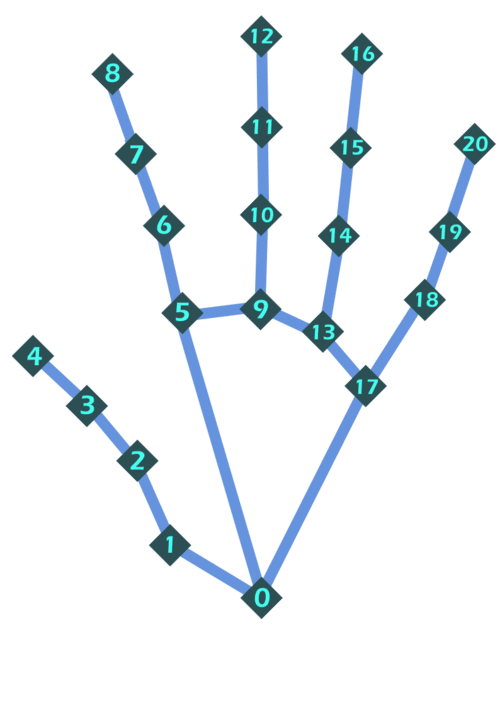
Whenever a note is played, the note and its octave are visible at the bottom. Pay attention to the diagram below, as it maps different nodes along your hand to numbers, which is important for playing particular notes. Also orient your hands with your palms facing the camera
Proximity Mode:
These notes play when two hand nodes are sufficiently close to each other within 3D space (although they appear in 2D projections). Most are on the lower of the two available octaves.
Node 1: Node 2: Note Played
4:5: C (Lower C)
4:6: Dflat/Csharp
4:7: D
4:8: Eflat/Dsharp
4:13: E
8:6: F (this still triggers because 2D distance is weighted more than the z-distance)
8:12: Gflat/Fsharp
12:7: G
12:15: Aflat/Gsharp
12:16: A
20:15: Bflat/Asharp
Binary notes:
The pinky, middle finger, index finger, and thumb form a binary system, where they are assigned 1 or 0 in that order left to right. The thumb is assigned 0 when it’s tip (node 4) appears close enough to its joint (node 1) on the projected 2D screen, i.e, when your thumb is pointing directly at the camera. Otherwise, it is assigned 1. The other fingers are assigned 1 when the fingertip node is above the knuckle node, and 0 when otherwise. Binary mode is triggered when any of the four fingers are set to 0
pmit: note
0000:B
0001: C (Lower C)
0010: Dflat/Csharp
0011: D
0110: Eflat/Dsharp
0111: E
1000: F
1001: Gflat/Fsharp
1010: G
1011:Aflat/Gsharp
1100:A
1101:Bflat/Asharp
1110:B
Tip: for proximity mode, lean your hand backwards like the first hand, and for binary mode lean it forwards like the second hand. This will make your movement easier.
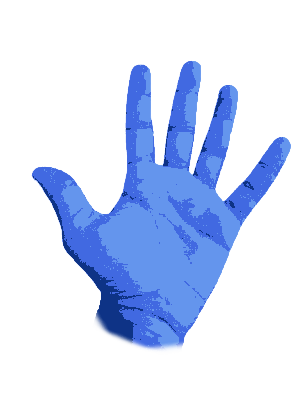
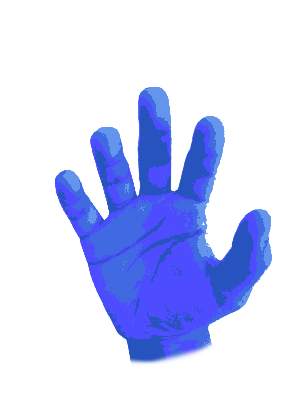
Sensitivity: Sensitivity is dependent on the distance to the camera.
When your hands are closer to the camera, they appear bigger on the display, so the nodes on your fingers will need to be closer together to play notes because the notes play based on displayed distance relative to screen size measured in pixels.
When your hands are farther from the camera, the decreased apparent distance between your fingers on the screen will make the app more sensitive to the movements of your fingers, which could also cause notes to play accidentally.
If notes are playing when you aren’t playing them, moving your hands closer to the camera might help, and if you want the app to be more sensitive to your movements, moving your hands further away will do so.
Other Notes: The record audio button might capture silence because of issues with the computer audio driver preventing the system audio from being scanned. Either set Stereo Mix as your default device if this happens, or use an external recording software. Steps for the former:
Download
Leave a comment
Log in with itch.io to leave a comment.